¶ Environment Setup and System App Creation
¶ 1 Hardware Preparation
Required hardware includes:
-
One youyeetooRJ development board
-
One double-ended USB cable
-
Power supply
After flashing the corresponding Android system, only a double-ended USB cable is needed to start app development.
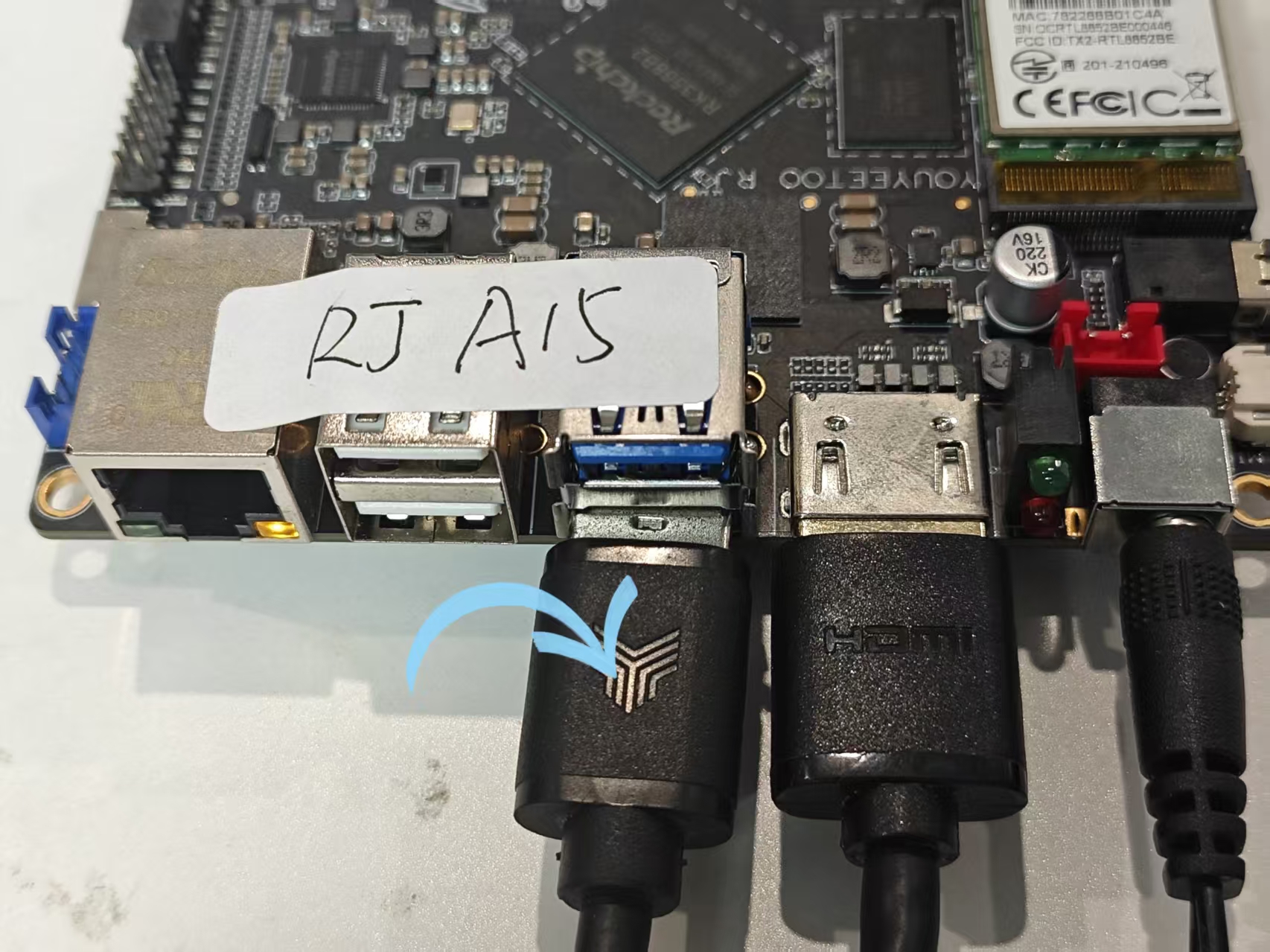
- As shown in the picture below, the Type-C port is connected to the YY3588 development board, and the other end is connected to the Windows host.
¶ 2 Installing ADB Driver
- Download the RK3588 USB driver
- Install the driver and connect the development board and PC. After the system starts, you should see the following device. This indicates that the ADB driver has been successfully installed.
¶ 3 Install Android Studio
- Go to the official Android development website
- Here you can choose from multiple different versions, and you can also choose a portable version.

¶ 4 Create a System App Demo
¶ 4.1 Create a Project
As shown in the image below, you can choose from various templates. If you want flexible operation of peripherals, you need to use the JAVA+C method and select Native. C++

Then add the project name

¶ 4.2 Generate System Signature File
Download materials, click to jump
¶ 4.3 Configure Signature
Add the following information to build.gradle, where storePassword keyAlias keyPassword is filled with the three values from the previous step

¶ 4.4 Declare System Permissions
Add the following information to AndroidManifest.xml
android:sharedUserId="android.uid.system" tools:ignore="Deprecated"

After following the instructions above, the built app will have system permissions and can be installed on a device for verification.
Execute the following command in the command line (replace com.example.testdemo with your compiled package name):
``` dumpsys package com.example.testdemo | grep "flags="
If you find the following information:
```, it means that this application has system permissions.