¶ LoraSecrt Outdoor Mobile Smart Terminal
🎉 Thank you for choosing the new-generation LoraSecrt Outdoor Mobile Smart Terminal!
This device integrates dual-mode communication (Network/No-Network), smart navigation, power bank (10000mAh), high-intensity lighting, solar energy storage, and radio functions. It is your reliable companion for outdoor exploration and emergency communication.
¶ 🚀 Quick Start
Start your LoraSecrt journey in just three steps:
¶ Step 1: Download APP
Please scan the QR code below to download the official LoraSecrt APP:
| iOS (App Store) | Android (APK) |
|---|---|
 |
 |
| 👆 Scan for iOS | 👆 Scan for Android |
¶ Step 2: Register & Power On
- Open the APP, complete account registration, and log in.
- Long press the side Power Button for 3 seconds to turn on the device until the blue light flashes, entering pairing mode.
¶ Step 3: Scan to Bind
- Click the “➕” icon on the APP homepage (or click the Bluetooth icon on the map interface).
- Select "Scan to Add".
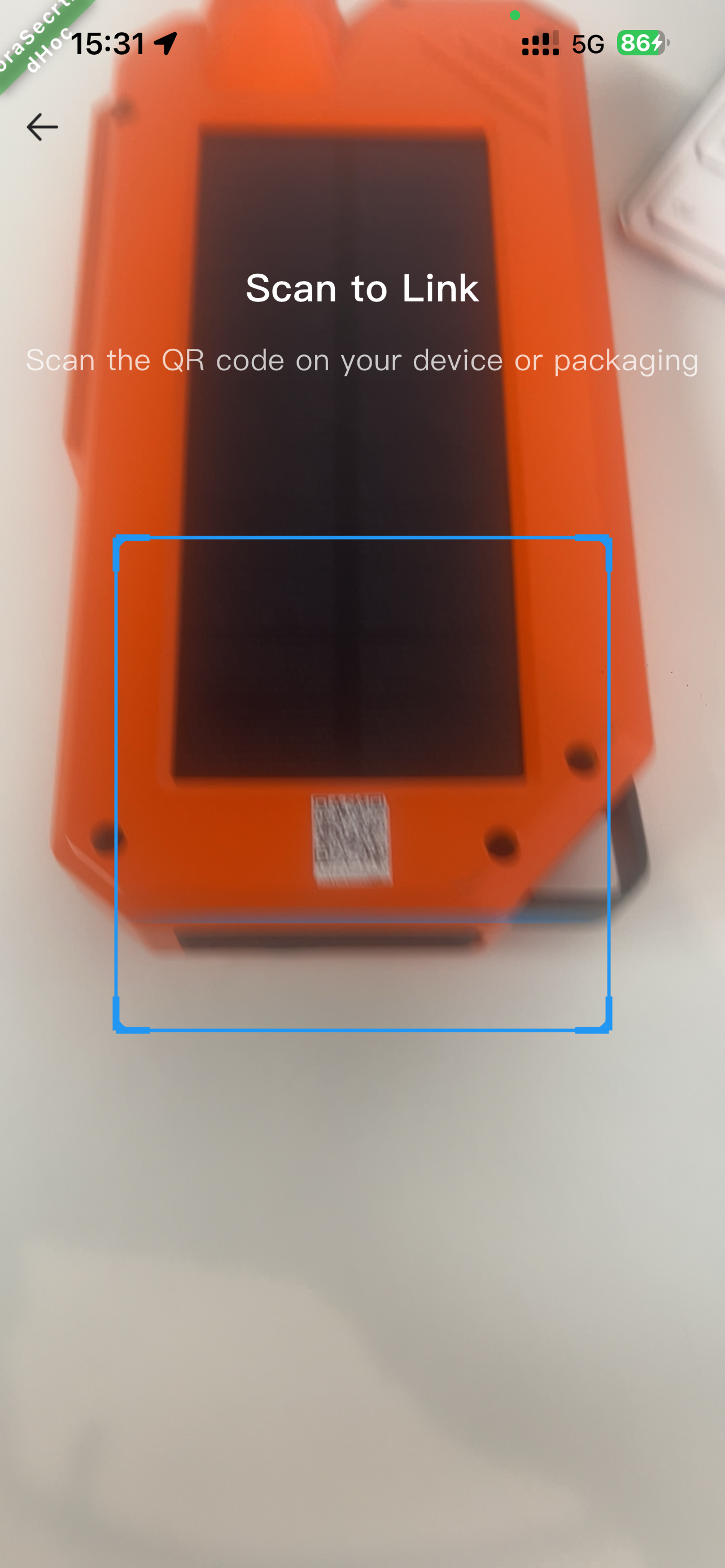
- Scan the device QR code pasted under the solar panel. A prompt or the map icon turning green indicates a successful binding.
(For details, please refer to the Device Operation Guide below)
¶ 1. ✨ Core Product Highlights
¶ 📡 Dual-mode Communication & Positioning
This device supports APP linkage and automatically switches modes based on the network environment:
- 🌐 Network Mode
- Communication: Direct real-time communication with friends via mobile network.
- Positioning: Real-time display of the current mobile phone location.
- 🔗 No-Network Mode (LoRa)
- Communication: Connect to the LoraSecrt device to achieve point-to-point communication within the effective range.
- Positioning: Display positioning information via the device and receive locations of surrounding users with the same device.
¶ 2. 📊 Main Technical Parameters
| Parameter | Specifications |
|---|---|
| Comm Distance | No-network point-to-point max ≤10 km (Clear open environment, antenna height 2.5m) |
| Battery Capacity | 10000mAh Lithium Polymer Battery |
| Input Interface | Type-C (Max 22.5W); Solar Panel (Max 1.5W) |
| Output Interface | Type-C (Max 22.5W); USB-A (Max 1W); 3.5mm Headphone Jack |
| Output Power | Max 22.5W (Supports PD, QC fast charge protocols) |
| Radio | FM 50MHz — 115 MHz |
| Dimensions/Weight | 197×94×37mm / Approx. 500g |
ℹ️ Note: Technical parameters are subject to the actual product. Specifications may change without prior notice.
¶ 3. 🔍 Appearance Structure
| Device View | Buttons & Interfaces Index |
|---|---|
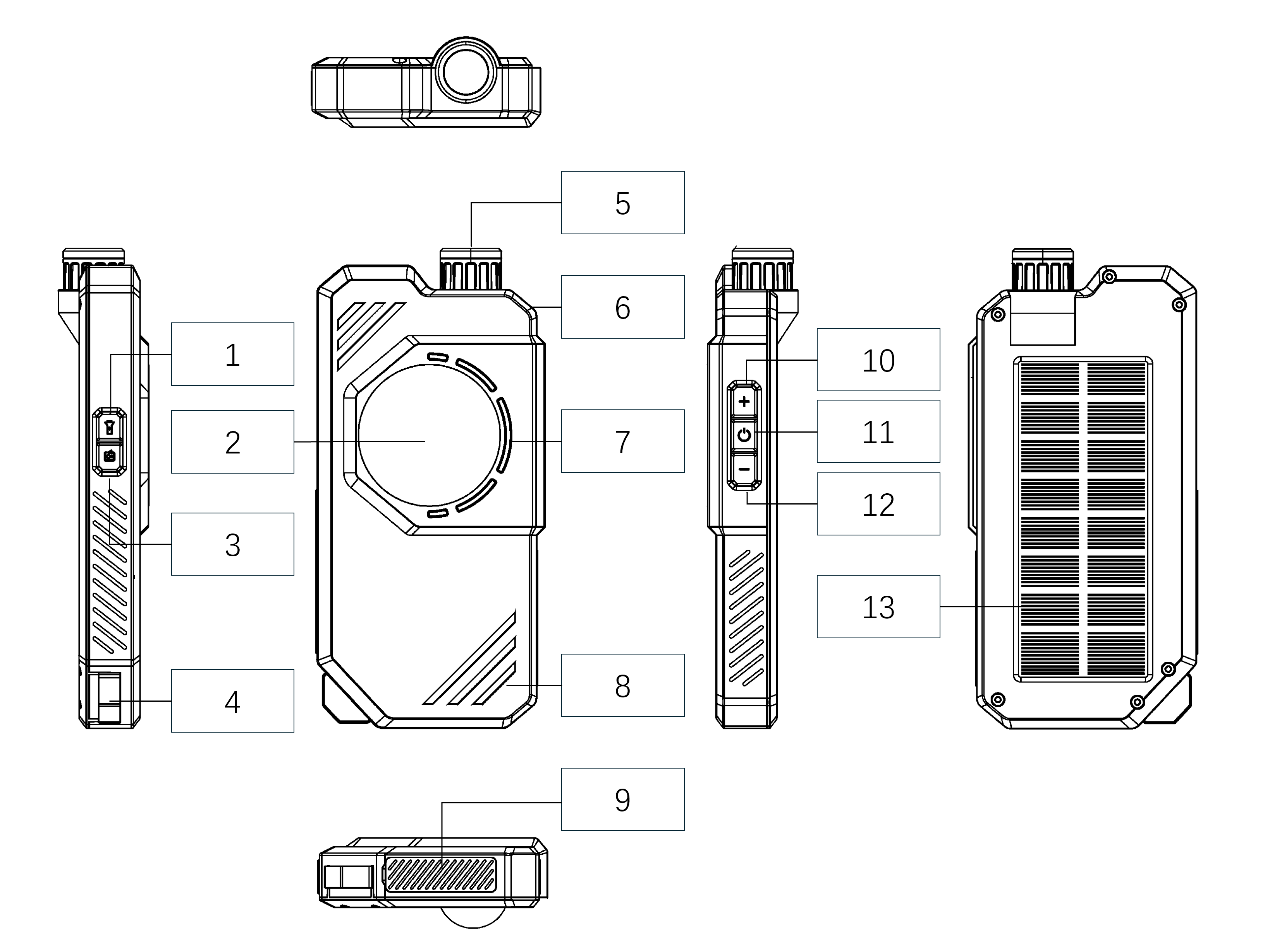 |
Left Button Area: 1. Lighting Key 2. Wireless Charging Area 3. Radio Key 4. Hook Top/Back/Indicators: 5. Lighting Lamp (Top) 6. Antenna Interface (Top) 7. Wireless Charging Indicator 8. Working Indicator Area 13. Solar Panel (Back) Right Buttons & Interfaces: 10. Volume + / 12. Volume - 11. Power Button 9. Device Interface Area (Bottom) |
¶ 4. 🛠️ Device Operation Guide
¶ 4.1 Basic Control
- 🔵 Power On: Long press the Power Button for 3 seconds. The lights will cycle twice, then the blue light will flash to enter pairing mode.
- ⚫ Power Off: Long press the Power Button for 3 seconds again until all lights turn off.
¶ 4.2 Mobile Bluetooth Pairing
Open the APP and connect the device via the following two methods:
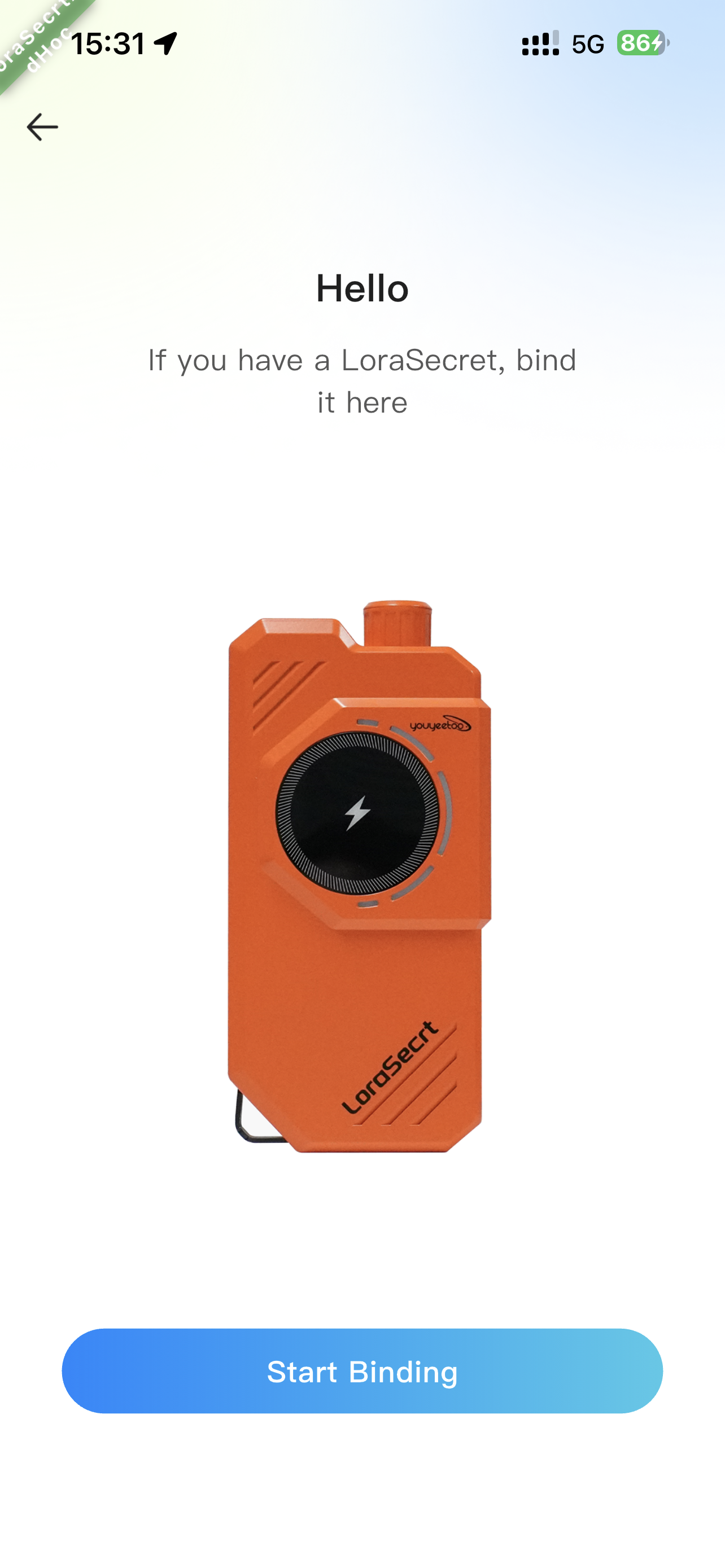
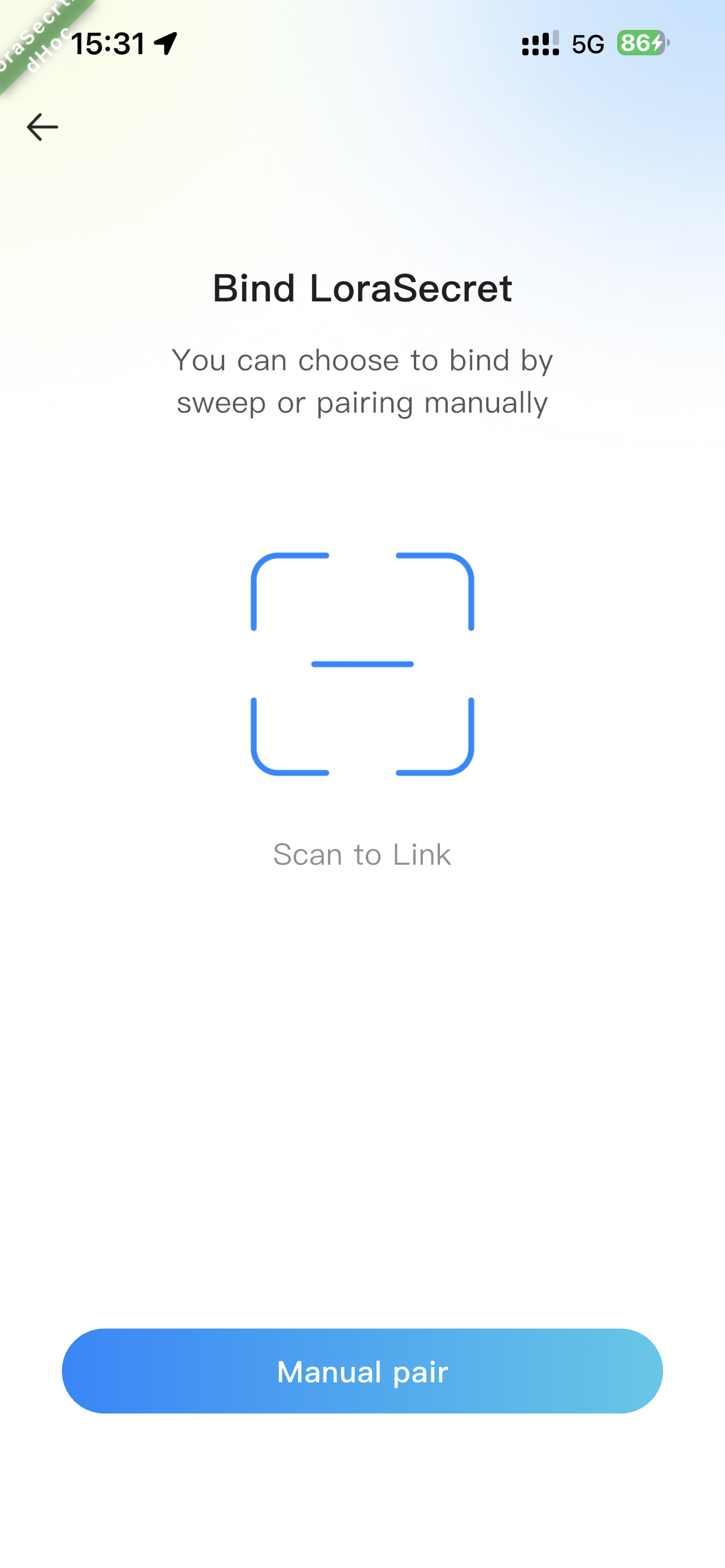
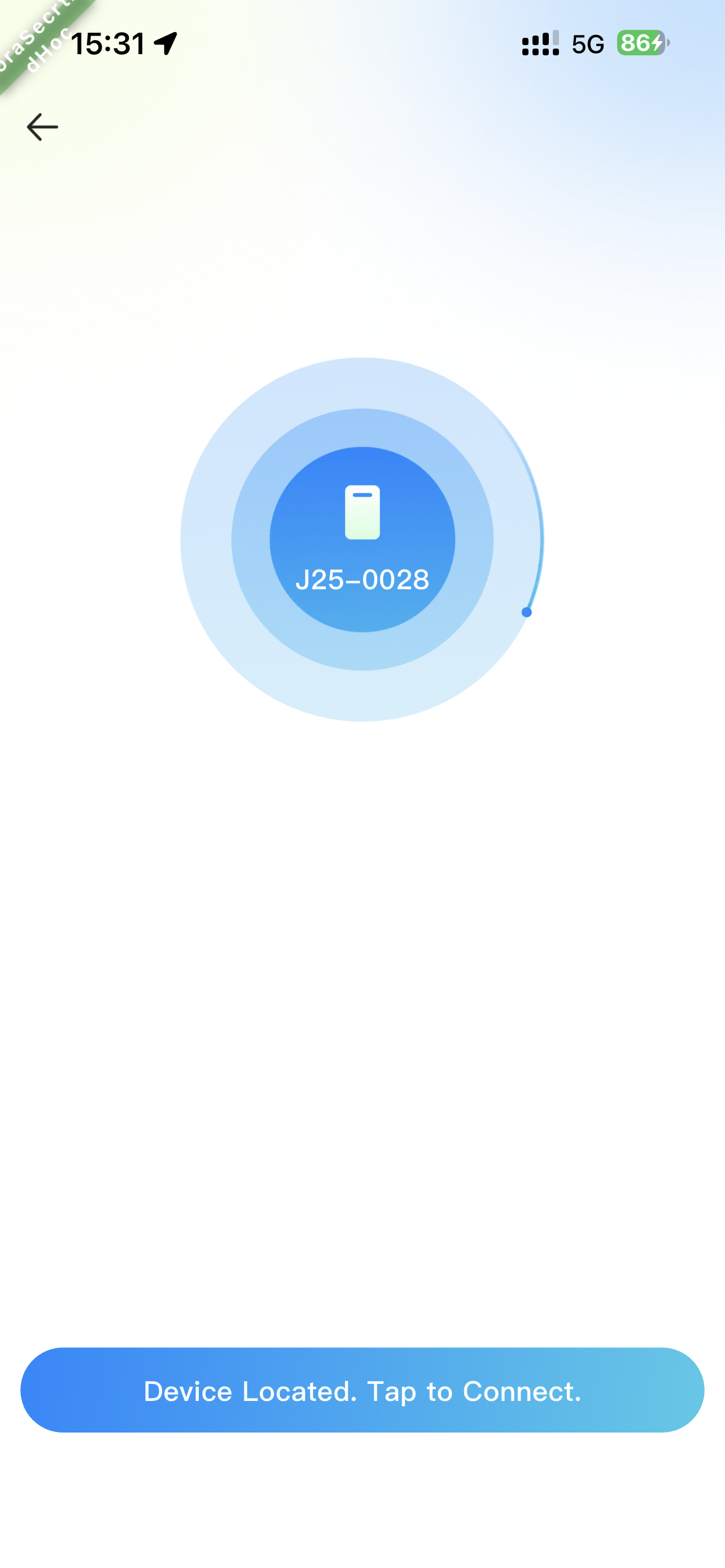
¶ Method 1: 📸 Scan to Add (Recommended)
Scan the QR code on the device body.
| Step 1 | Step 2 | Step 3 |
|---|---|---|
 |
 |
 |
| Step 4 | Step 5 | Step 6 |
 |
 |
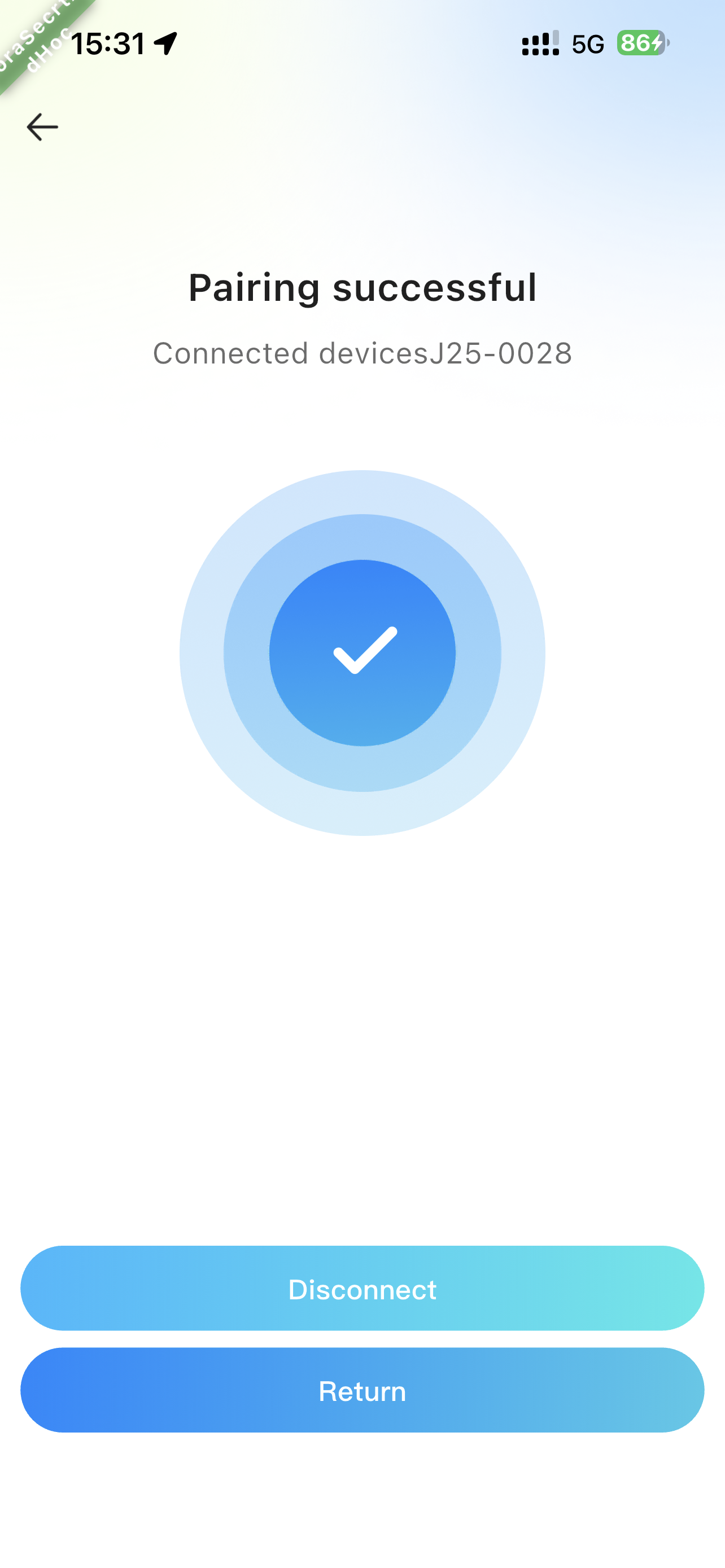 |
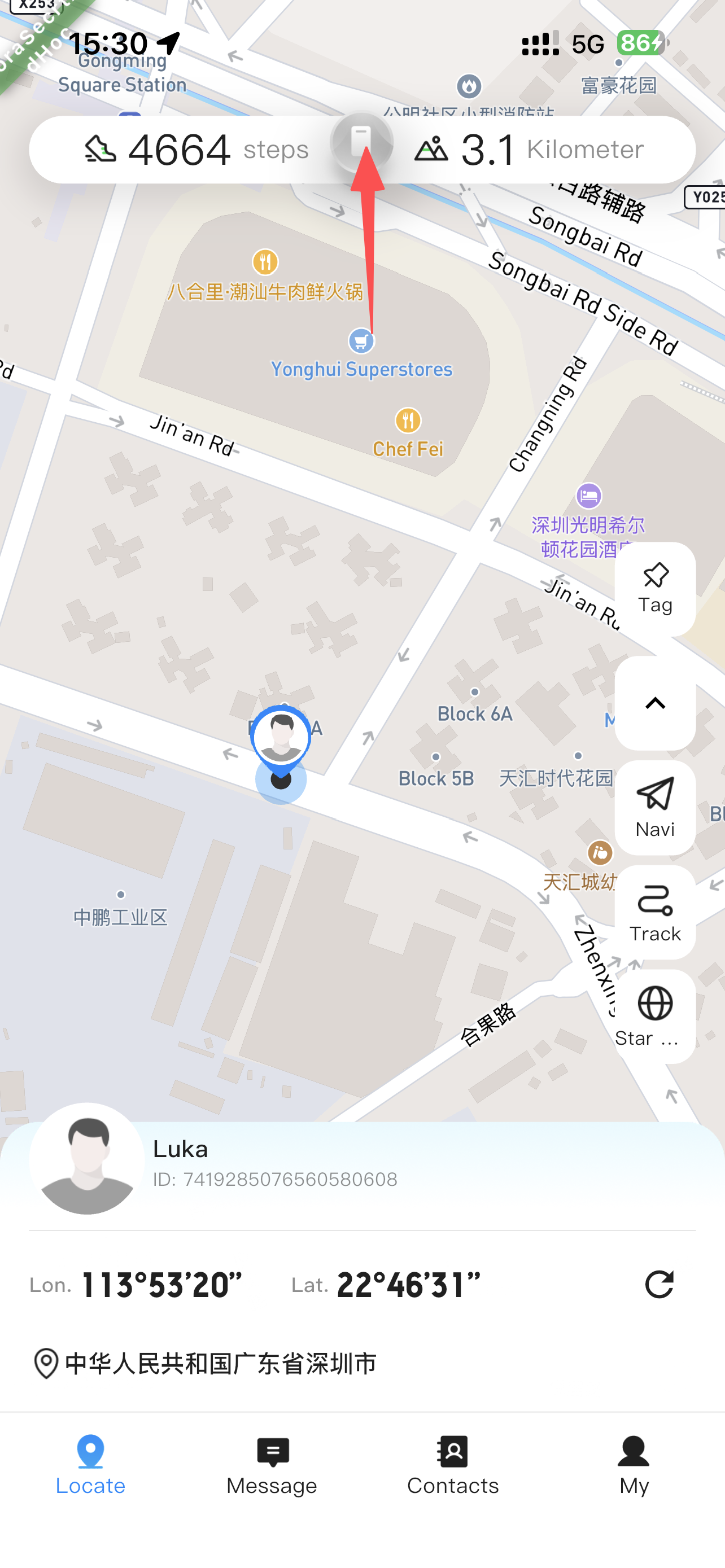
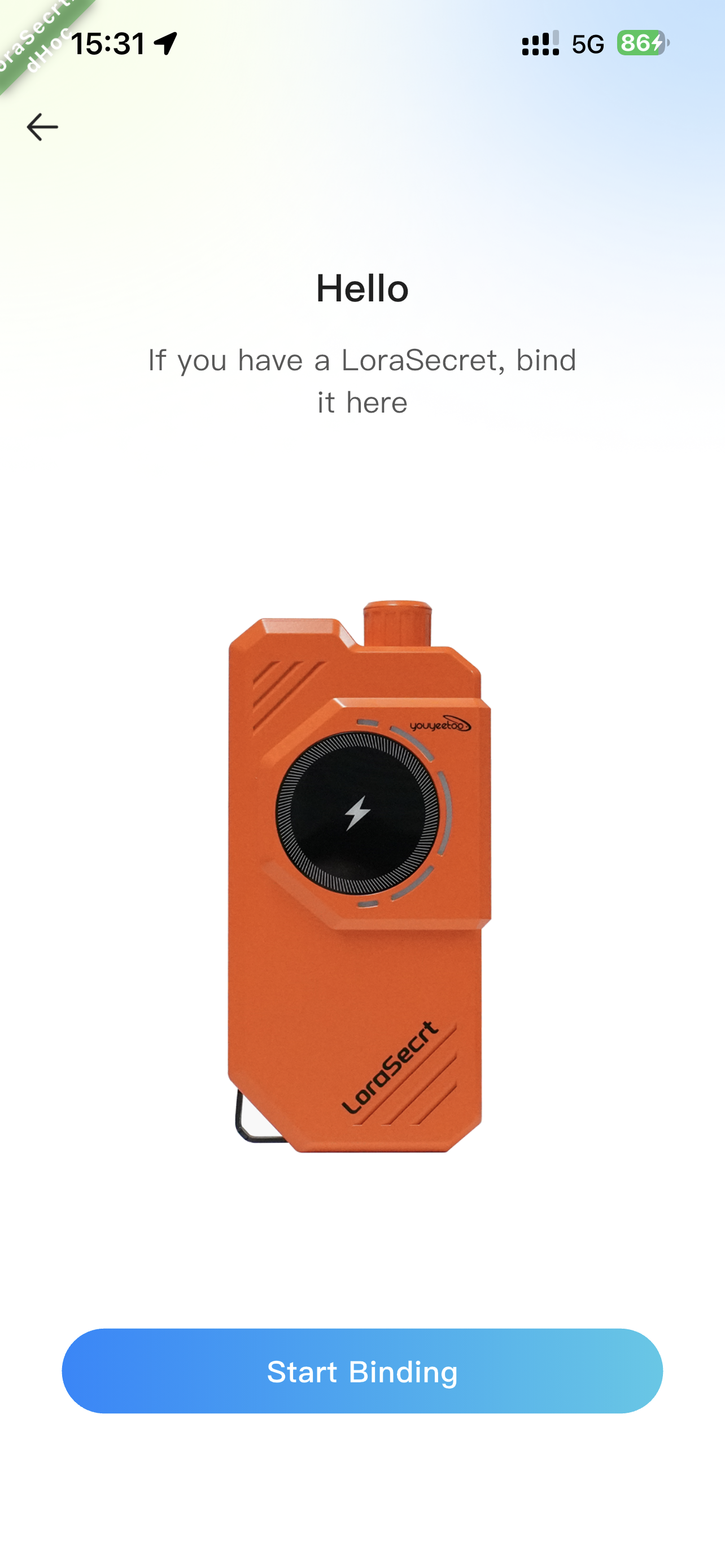
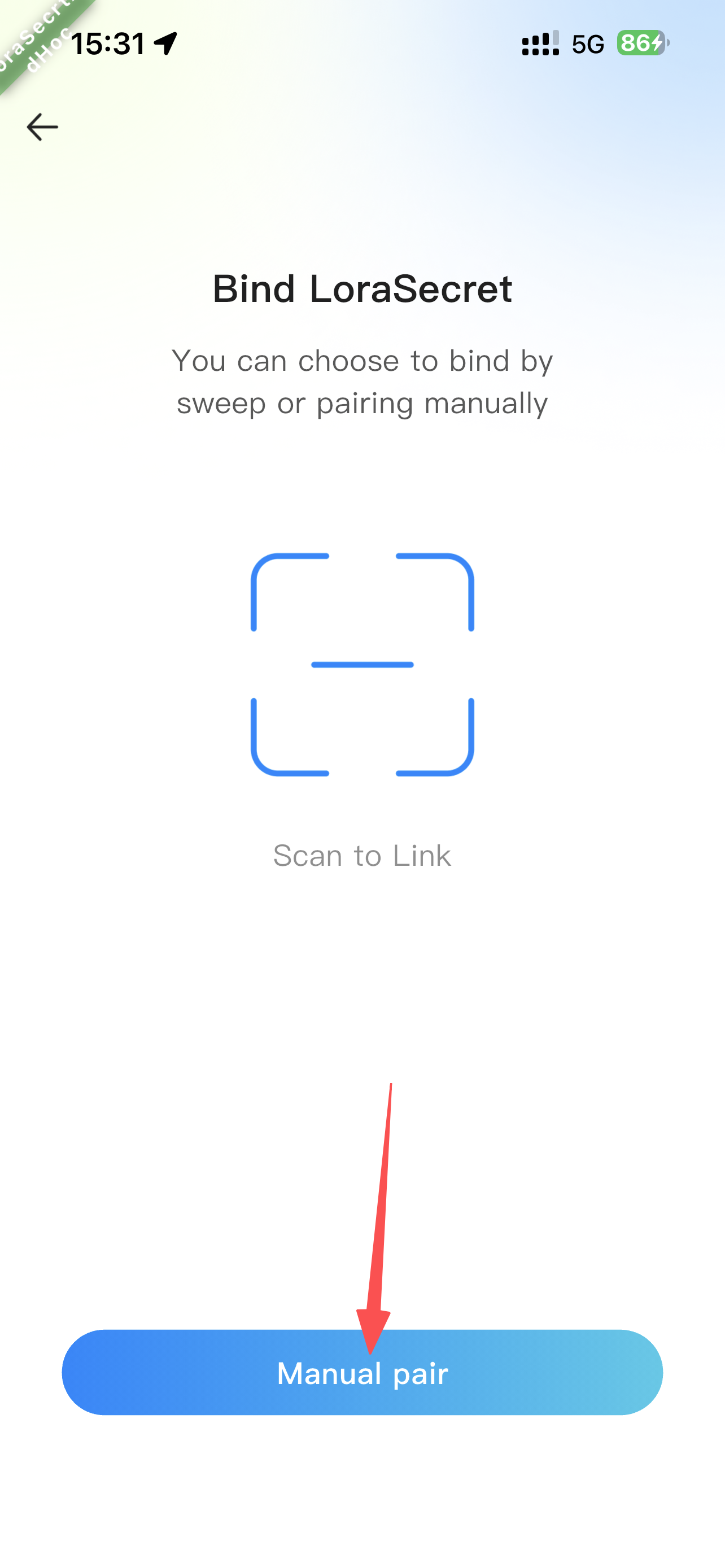
¶ Method 2: 🖐️ Manual Add
Select nearby devices on the map radar.
| Step 1 | Step 2 | Step 3 |
|---|---|---|
 |
 |
 |
| Step 4 | Step 5 | Step 6 |
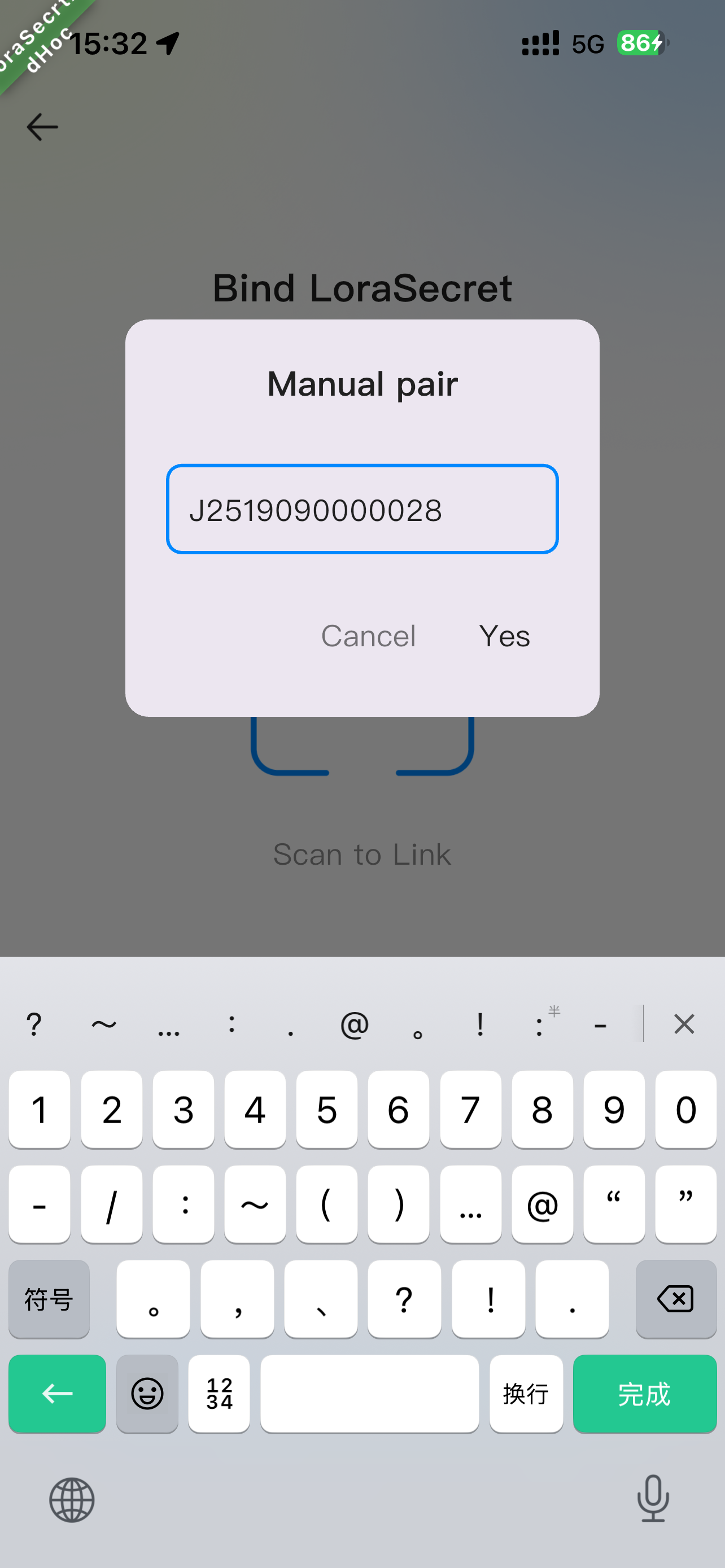 |
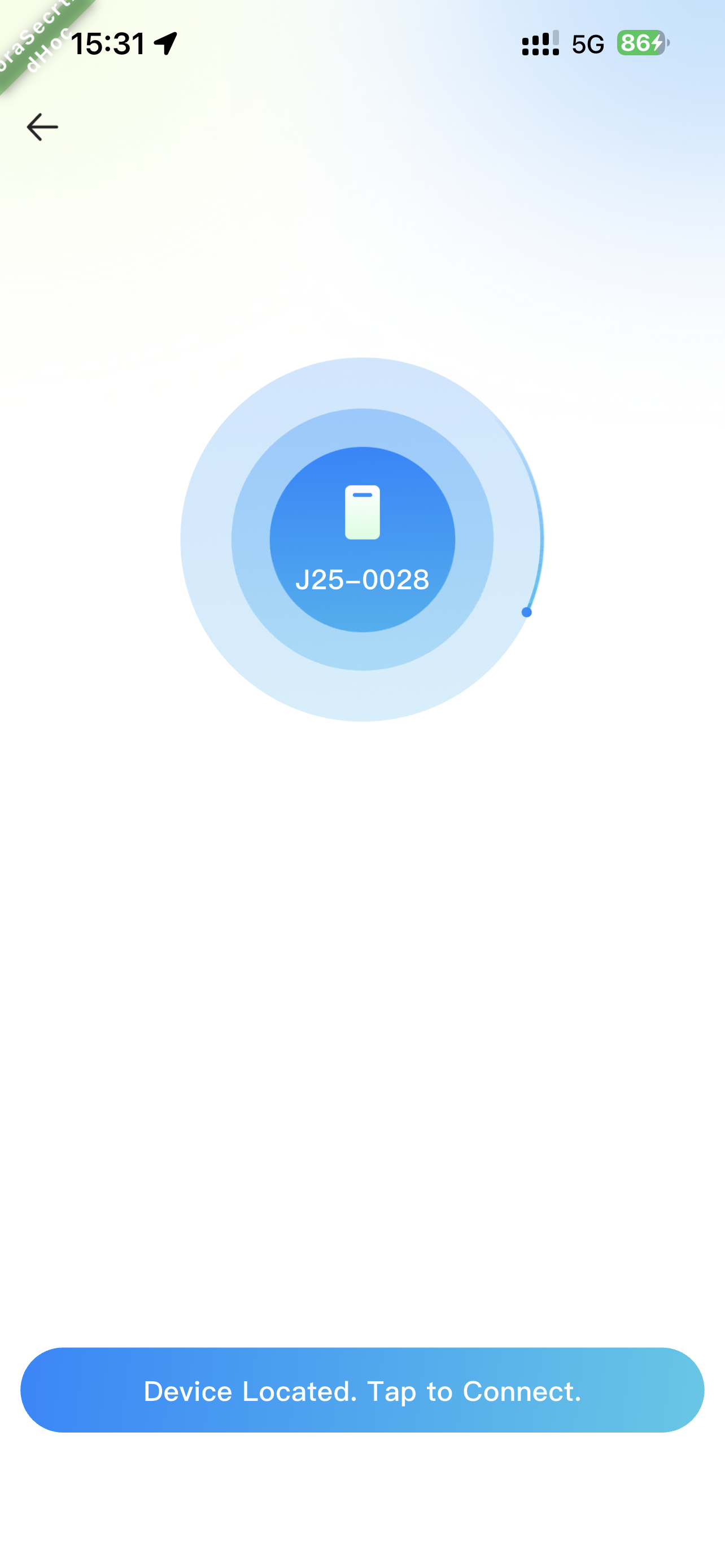 |
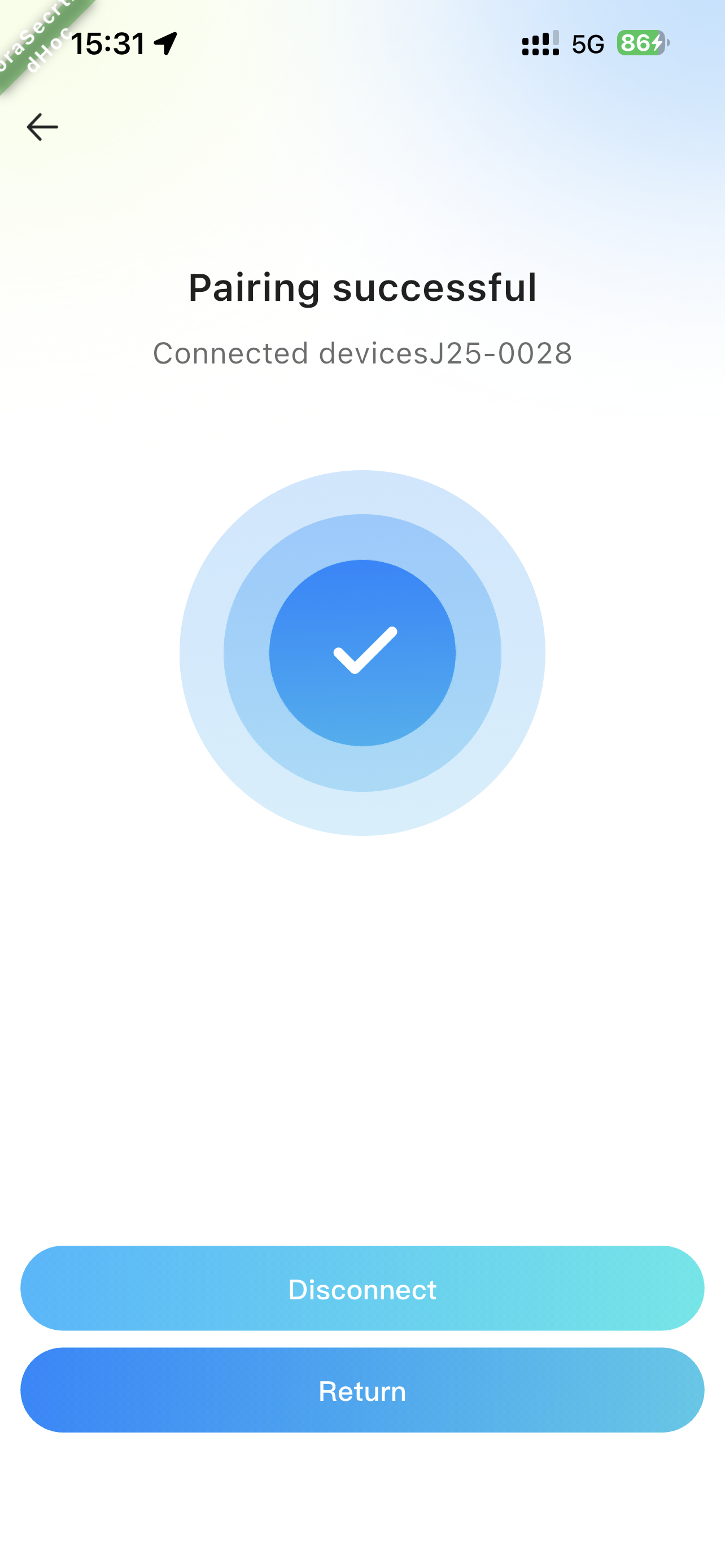 |
✅ Connection Successful: The device icon on the APP map will turn Green.
¶ 4.3 📨 Message Sending & Receiving
The system automatically switches channels based on connection status:
-
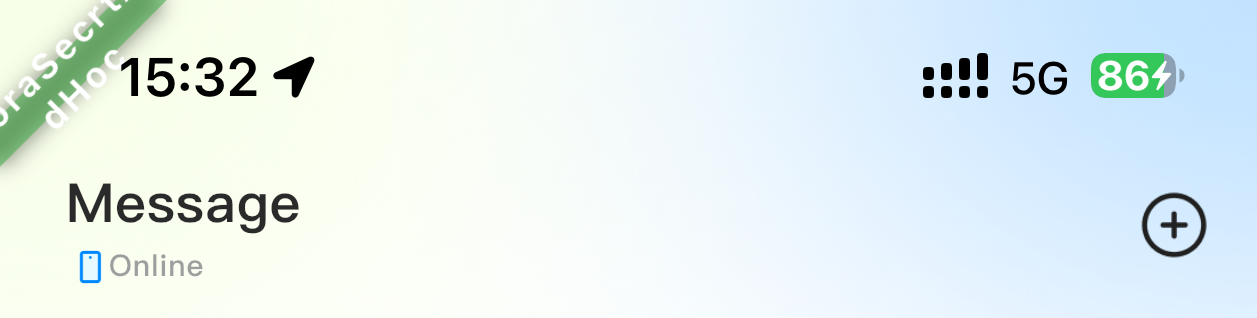
Priority Logic:
-
Device Connected 👉 Defaults to "Device" channel (No-Network priority).
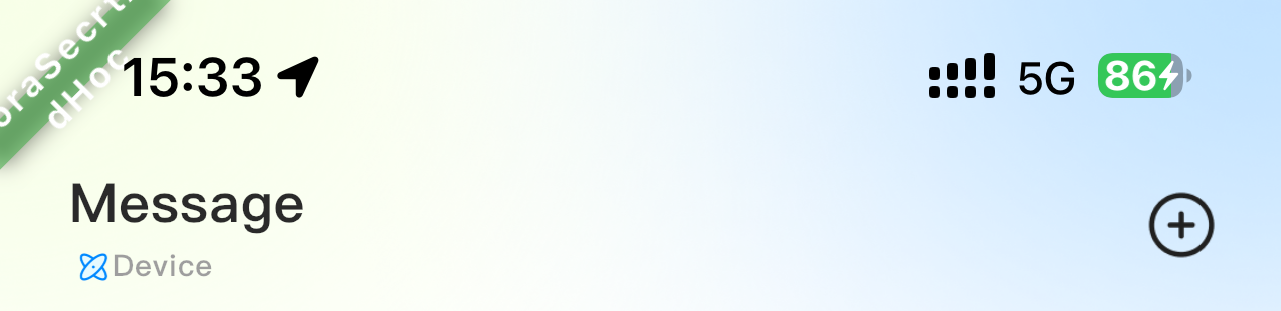
(Device connection status) -
Device Disconnected 👉 Defaults to "Online" channel (Network priority).
-
-
👥 Recipients:
- Friends: Select from your contact list.
- Strangers: Click on nearby stranger icons on the map.
-
📂 Categories:
Private Chat,Group Chat,SOSPublic Board: Send and receive all broadcast messages nearby when offline outdoors.
¶ 4.4 🔋 Charging & Power Supply
| Mode | Interface/Method | Description |
|---|---|---|
| Charge Device | Type-C | Connect to an external power adapter |
| Solar Supplement | Solar Panel | Face direct sunlight (Emergency aid only) |
| Charge Phone | Wireless / Type-C | Supports fast charging output |
| Power Supply | USB-A | Power for small appliances (fans, lamps) |
¶ 4.5 💡 Auxiliary Functions (Lighting/Radio/SOS)
| Function | Operation | Detailed Description |
|---|---|---|
| 🔦 Lighting Control | Short Press Lighting Key | Cycle: High → Low → Strobe → Off |
| Long Press Lighting Key (3s) | Activate/Deactivate International SOS Signal (Light flashing) | |
| 📻 FM Radio | Long Press Radio Key (3s) | Power On/Off (Headphones required as antenna) |
| Short Press FM Key | Auto-search stations (Use volume keys to adjust) | |
| 🆘 Emergency SOS | Hold Vol+ & Vol- (3s) | Auto-send ID & Lat/Long; 3 lights flash in sync |
¶ 4.6 🛰️ Positioning & Solar
- 📍 Positioning Function
- Outdoor Independent Positioning: Automatically receives satellite signals. Positioning light stays on upon success.
- APP Linkage: View real-time satellite reception info in the APP "Positioning - Star Map" interface.
- ☀️ Solar Energy Storage
- Function: Supports temporary emergency power storage via the solar panel.
- Note: Please align the solar panel directly towards sunlight. Efficiency depends on light intensity and environment.
¶ 5. 🚥 Indicator Status Description
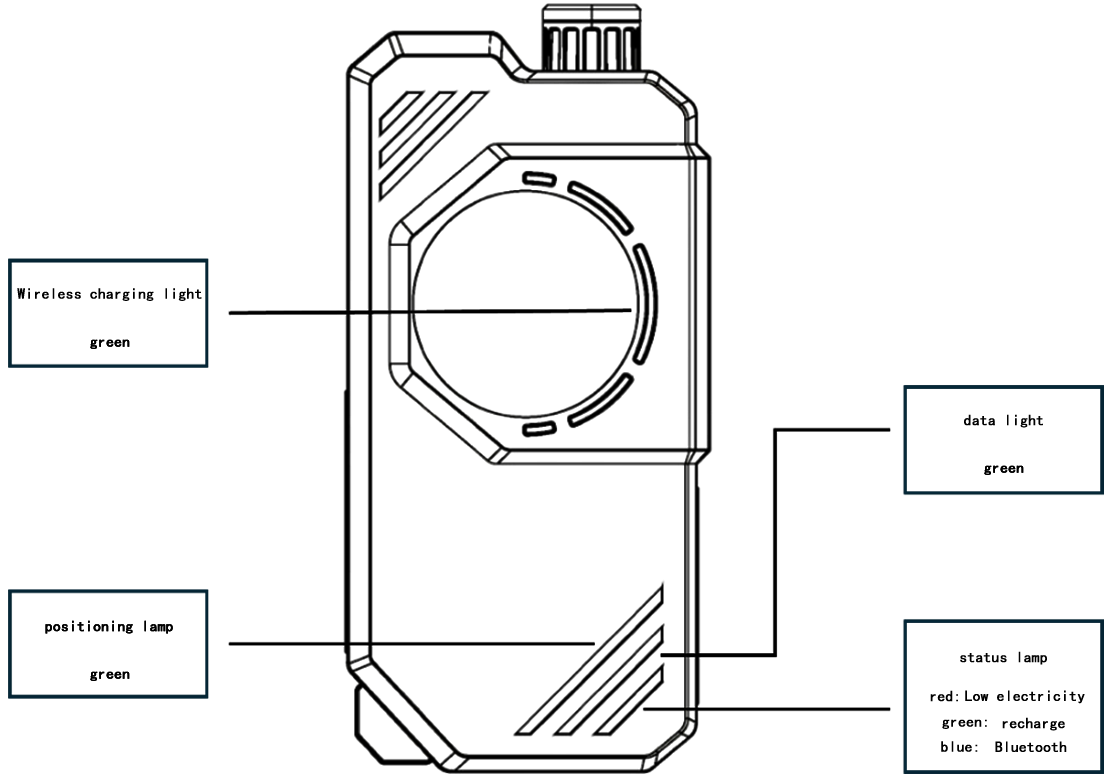
| Indicator | Color | Status | Meaning |
|---|---|---|---|
| Status Light | 🔵 Blue | Flashing / Solid | Bluetooth Searching / Connected |
| Positioning Light | 🟢 Green | Solid | GPS Positioning Successful |
| Data Light | 🟢 Green | Flashing | Data Transmitting/Receiving |
| Battery Alert | 🔴 Red | Solid | Battery < 10% (Please Charge) |
| Charging | 🟢 Green | Flashing / Solid | Charging / Fully Charged |
| Special Mode | 🟢+🔴 | Sync Flashing | SOS Mode Activated |
💤 Auto Power-off: If not positioning, not communicating, and not connected to Bluetooth, the device will auto power off after the blue light flashes for 3 minutes.
¶ 6. 📱 APP Interface & Functions
| APP Interface Overview | Legend Index & Basic Interactions |
|---|---|
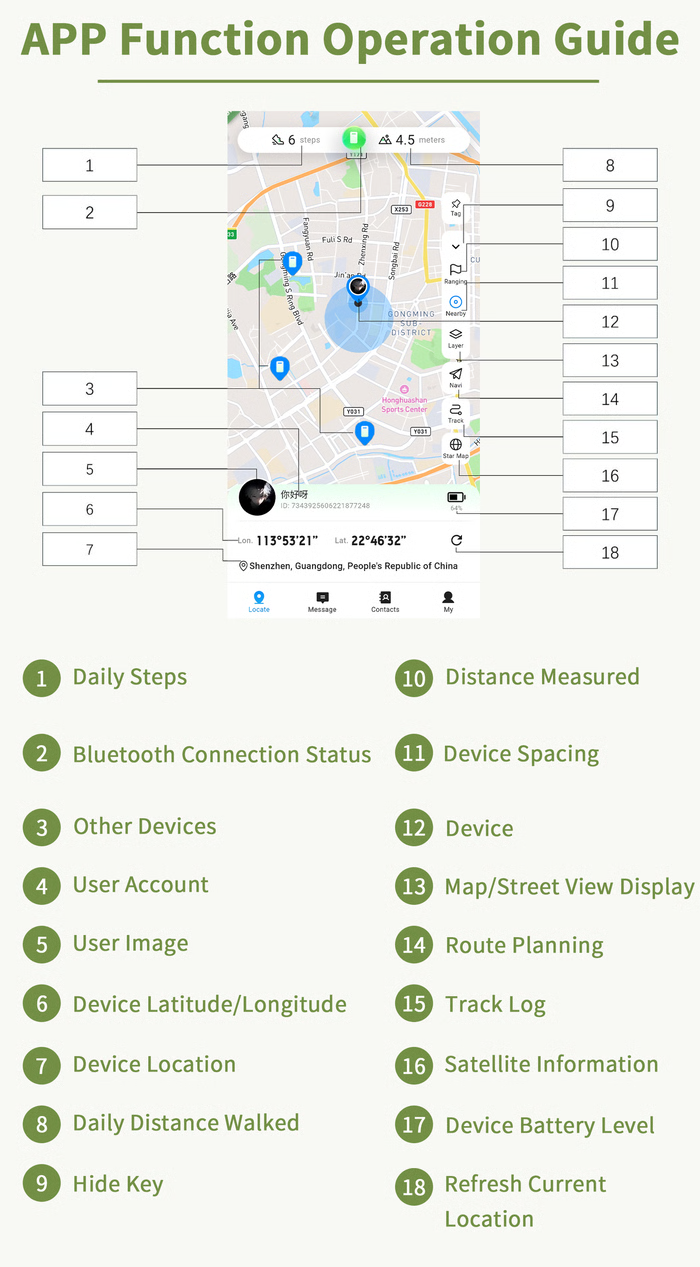 |
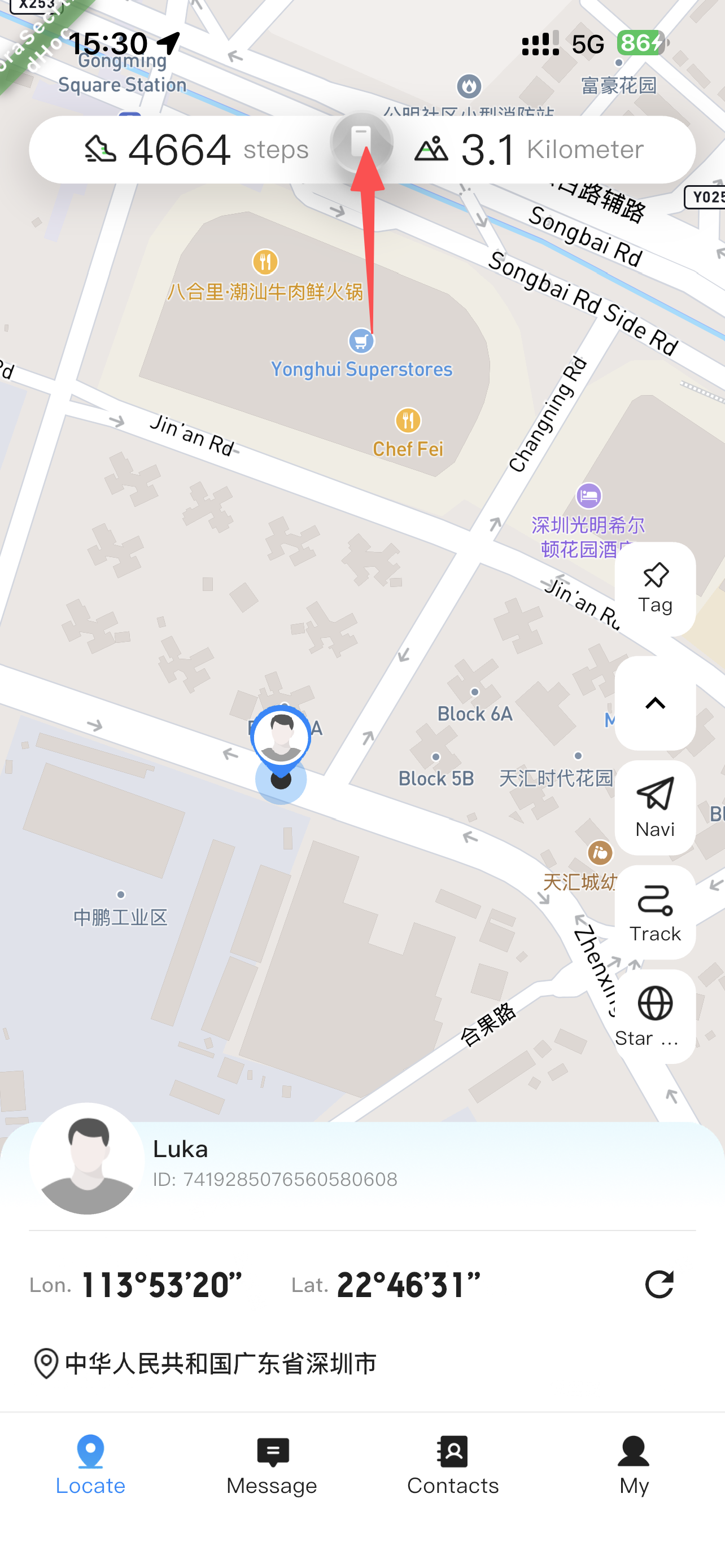
Zone A (Top Status Bar) • [1] Daily Steps• [2] Bluetooth (Short press to pair / Long press for SOS)• [3] Other Devices• [8] Daily DistanceZone B (Right Toolbar) (Long press icons to reorder) • [10] Ranging • [11] Device Distance• [12] Local • [13] Layers• [14] Navigation • [15] Track• [16] Star Map (Satellites)• [9] Hide ToolbarZone C (Bottom Info Bar) • [4] Account • [5] Avatar (Short press for QR)• [6] Lat/Long • [7] Address• [17] Battery • [18] Refresh |
¶ 1. Basic Interactions
[Map]: Click on the blank area of the map to hide/show Zone A and Zone C.[1] [8]Statistics: Click numbers to view historical steps and distance data by Year/Month/Day.[7]Address: If the address is too long, click and drag left/right to view the full text.
Core Operations:
- Bluetooth
[2]: Green means connected. Long press to quickly activate SOS mode. - Find Device
[3]: Click to view other devices' ID and location, start a chat, or add as a friend. - User Mgmt
[5]: Short press to show QR code for others to scan; Long press to edit profile. - Customize Layout
[Zone B]: Long press icons 10, 11, 13, 14, 15, 16 to drag and reorder.
¶ 2. Toolbox & Map Management
[10]Ranging: Measure the linear distance between any two points on the map.[11]Device Dist: Display distance between your device and surrounding similar devices.[13]Layers: Switch between 2D Map / Street View.[14]Navigation: Smart route planning with real-time guidance.[15]Track: View historical tracks, supports One-key Return.[16]Star Map: Visualize satellite signal reception status.- Friend Mgmt: Supports ID search/QR scan (Online), or direct map selection (Offline).
- Offline Maps: Download map data in settings for use without internet.
¶ 7. ⚠️ Safety & Maintenance
⚡ Fatal Danger: Thunderstorm Warning
The external antenna attracts lightning! Using it during thunderstorms may cause injury/death and device damage. Lightning pulses may also destroy data.
- Environment: Do not use in high temperature, high humidity, or near open flames.
- Antenna: Always install the antenna before use to prevent damage to internal circuits.
- Battery: Recommended to perform a full charge/discharge cycle every month to prevent aging.
- Cleaning: Wipe with a dry cloth only. Do not use alcohol or corrosive liquids.
¶ 8. ❓ FAQ
Q: Device lagging or frozen?
A: Press the reset button to restart the device.
Q: Why can't it output power?
A: Check if the battery is too low (Red light on), or try a different charging cable.
Q: Why is the communication distance short?
A: Communication distance is heavily affected by the physical environment:
- ❌ Obstacles: Line-of-sight blockage attenuates signals.
- ❌ Ground/Seawater: Being close to ground or sea absorbs radio waves, reducing range.
- ❌ Metal Interference: Metal objects near the antenna cause severe signal attenuation.
¶ 9. 📞 After-Sales Service
- Warranty: 12 Months from the date of purchase.
- Scope: Product quality issues (excluding human damage).
- Channel: APP → Me → Settings → Help & Feedback.
We are dedicated to providing you with the best outdoor communication experience. Enjoy your life!