¶ 04 Image Encoding
Image encoding compresses raw image data into a smaller format that is easier to store or transmit.
Note
This document only describes how to use sample_venc. For the implementation, refer to
<SDK_DIR>/sample/venc/sample_venc.cand the related files.
¶ 1 What sample_venc Does
sample_venc is the SDK sample that demonstrates video encoding with the VENC module. It can either hook into the camera pipeline for real-time VI -> ISP -> VPSS -> VENC capture and encoding, or take a raw YUV image file and encode it, giving an independent "file in -> bitstream out" verification path. With this sample you can quickly check that the encoder works, that rate control takes effect, that the supported codecs are usable, and that advanced features such as ROI, QPMap, JPEG snapshot, and JPEG stitching behave correctly, which serves as a reference for video storage, network streaming, and snapshot applications.
¶ 2 How sample_venc Works
sample_venc has two main workflows.
- Real-time camera encoding
The program initializes system resources, captures sensor images through VI, processes them with ISP, scales or distributes them with VPSS, and finally encodes and outputs them with VENC. In this mode sample_venc can output a main stream and a sub stream at the same time, for example H.265 + H.264, and can be extended to JPEG/MJPEG snapshot, QPMap, and ROI.
- Local YUV file encoding
The program reads a raw NV21 YUV file and feeds it to VENC as input frames, producing H.264 / H.265 / JPEG / MJPEG bitstream files. This path does not depend on a sensor or ISP, so it is well suited to verifying the encoder alone, checking input format compatibility, and validating rate-control parameters.
¶ 3 Using sample_venc
The build and copy steps are the same as for sample_vio.
¶ 3.1 Choosing Parameters
sample_venc:
    Description: capture and encode sample
    Usage: 1)./sample_venc [index]
                0 wrap/low-latency h265+h264 encoding: main + sub stream + jpeg
                1 h265+h264 encoding: main + sub stream
                2 h265+h264 encoding with qpmap
                3 h265+h264 encoding with roi
                4 jpeg/mjpeg encoding
                2)./sample_venc [nv21 yuv file] + [width] + [height] + [target format]
                nv21 yuv file:   input yuv file
                width:           output width
                height:          output height
                target format:   output codec: h265, h264, jpeg, mjpeg
¶ 3.2 Encoding a Raw YUV Image File
¶ Step 1: Get the Lena image (download link)

Tip
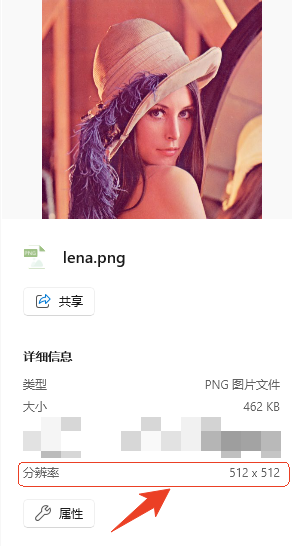
Using your own high-resolution image is recommended, since the encoded result then shows a clear difference from the original. Make sure to enter the correct width and height, otherwise the encoded image will be garbled. You can check width and height by selecting the image on a PC, as shown below:
¶ Step 2: Convert PNG to YUV
Copy lena.png to the build server and run the following command to convert the PNG file to YUV:
ffmpeg -i lina.png -pix_fmt nv21 lina.yuv
When the conversion finishes, copy lina.yuv to the board.
¶ Step 3: Encode the YUV File
./sample_venc ./lena.yuv 512 512 jpeg
When the command finishes, snap0_0.jpg through snap0_29.jpg appear in the current directory. Copy them to a PC to view.
¶ Step 4: Compare Before and After
Before encoding
After encoding